For a long time, voting was like an exclusive club. The secret was English Fluency.
In 1975, that changed. The Voting Rights Act was updated to fight language discrimination. Sections 203 and 208 ensured language access was real, not just a translation.
Take Modesto Rodriguez in Pearsall, Texas. His fight wasn’t unique. It showed a pattern of intimidation.
Now, we focus on both physical and digital access. ADA compliance and Section 508 require websites to be fully accessible. It’s not just about ramps. It’s about designing the whole path.
To move beyond just following rules, we need to think about who the space was made for.
Equity goals and legal context ADA and language access obligations
Let’s explore the rulebook, written in legalese and lived experiences of millions. The Americans with Disabilities Act (ADA) and the language provisions of the Voting Rights Act (VRA) are not suggestions. They are blueprints for disability inclusion and civic participation. They aim to remove barriers based on ability and language.
The VRA has key sections: 203 and 208. Section 203 requires language help in areas with many voters who don’t speak English well. Section 208 lets voters bring an assistant into the booth. These rules ensure voting practices don’t discriminate, focusing on outcome, not intent.
The ADA is another key player. It ensures communication and physical access for everyone. Offices using federal funds must follow Section 508 of the Rehabilitation Act. This makes digital tools like websites accessible. Ignoring this is not just risky; it’s costly.
The debate on language assistance is often seen as symbolic. But feeling welcomed is essential, not just a bonus. In San Diego County, after a VRA settlement, Vietnamese voter registration increased by 40%. This shows the real impact of these laws.
The goal is to go beyond minimum standards. The legal framework is a powerful tool for change. Use it to transform your community.
- From Gatekeeper to Concierge: The law says “provide an interpreter.” The goal is to make voting a seamless journey.
- From Checklist to Culture: ADA compliance is a checklist. True disability inclusion is a culture that meets needs before they arise.
- From Enforcement to Empowerment: DOJ settlements are corrections, not punishments. They lead to more participation, showing barriers can be removed.
The legal obligations are the foundation, not the limit. They are the fertile ground for equity. Mastering this context is not just about avoiding lawsuits. It’s about creating a system where voting is for all citizens, without obstacles.
Site design accessible route grade doorways tables seating lighting and sound
ADA compliance for polling sites is more than just checking boxes. It’s about creating a seamless, dignified experience from start to finish. Think of it as engineering dignity into every square foot. Forget the checklist. Imagine the polling place as a stage, ready for a civic triumph or an empowering performance.
The journey starts outside. An accessible route is essential, not optional. It should be stable, slip-resistant, and at least 36 inches wide. Any slope steeper than 1:12 is a barrier for many voters. That ramp is more than a path; it’s an invitation to participate.
Doorways are the next step. A door that requires more than 5 pounds of force to open is a barrier. Automatic doors are ideal, but well-maintained, easy-to-grip hardware is the minimum. This isn’t just about ADA compliance. It’s about ensuring the first interaction with voting is easy.
Inside, the stage is set. Tables and seating are critical. A standard 29-inch high table can be a challenge for wheelchair users. Provide at least one 34-inch high table with clear knee space. Chairs with arms help those with mobility or balance issues. This is disability inclusion in action—thoughtful details that empower.
Consider the ambiance. Harsh, fluorescent lighting can cause glare, headaches, and visual fatigue. Aim for calm, even, natural light. Then, there’s sound. A loud environment can overwhelm voters with hearing aids, autism, or anxiety. Soft surfaces and quiet areas can help.
This isn’t just about following rules. It’s about applying universal design principles from modern architecture. The goal is an environment that feels naturally accessible, not adapted. The following table shows common flaws versus seamless solutions.
| Design Element | Common Flaw (The Tragedy) | Universal Design Solution (The Seamless Performance) |
|---|---|---|
| Route & Grade | Cracked pavement, steep ramp (>1:12 grade), narrow path. | Stable, 36″+ wide route with a max 1:12 slope and level resting intervals. |
| Doorways | Heavy door (>5 lbs force), narrow clearance, tricky latch. | Automatic opener or easy-grip lever handle with 32″+ clear opening. |
| Tables & Seating | Fixed-height tables (29″), no knee clearance, armless chairs. | Adjustable or 34″ high tables with 27″ knee space; chairs with arms. |
| Lighting | Glaring overhead fluorescents, shadows on voting booths. | Even, diffused light; task lighting at booths; control of natural glare. |
| Sound/Acoustics | High ceilings, hard surfaces creating echo and noise overload. | Acoustic panels, carpeting, and a designated low-stimulus area. |
When we get this right, we do more than follow the law. We send a powerful message: every voter is valued. True disability inclusion means the space itself welcomes you, long before anyone greets you.
Communication aids large print plain language Braille audio cards pictograms
If your voting instructions are hard to understand, you’re not doing democracy right. Communication is key. Making it accessible means everyone has a say, not just a few.
Let’s talk about the usual way things are done. Using hard-to-understand language is a sign of poor planning. When forms are as confusing as tax codes, people get lost. Plain language forms are not “dumbing down.” They show respect and are smart.
So, what’s smart? Harvard’s Plain Language Toolkit gives us a guide. Use simple language and clear structure. It’s like a map to the ballot box, not a puzzle.
But language access is more than just text. We need a full range of options.
- Large Print: It’s not just bigger text. It helps people with vision problems. It’s a basic right, not a special favor.
- Braille: Braille is not just for a few. It’s essential for blind voters to vote alone. It lets them read on their own.
- Audio Cards & Recordings: For those with reading challenges, hearing the info helps. An audio ballot is a must-have, not a luxury.
- Pictograms & Simple Graphics: Simple pictures can mean a lot. A checkmark in a box is clear to everyone, no matter their language.
This mix of formats is at the heart of modern assistive tech. We don’t just give one tool. We give a set of tools. This way, everyone can find what works best for them.
Think about the audio ballot. It’s not just a recording. It should be easy to follow and understand. The assistive tech is in the careful design of the listening experience.
Pictograms need to be culturally sensitive. What works in one place might not in another. This is where language access and visual literacy meet. Test and refine them to make sure they work for everyone.
By combining these formats, we create a strong system. If one way doesn’t work, there’s another. This is how we make voting accessible for everyone. The power is in the voter’s hands to choose how they want to vote.
Interpreting options bilingual volunteers professional services phone based support
The promise of a “bilingual volunteer” can be the key to inclusion or the lock on a voter’s ability to participate. It all depends on who’s holding the key. Is your helper a certified interpreter or just someone who took Spanish in high school? The difference is huge.
The law and reality meet on this issue. Section 208 of the Voting Rights Act lets voters choose their own assistant. This is great for disability inclusion and language access. But, if the only option is someone who barely speaks the language, the voter’s choice is meaningless.
To create a strong system, we need a three-tiered approach. First, have trained, professional interpreters for scheduled appointments. This ensures accuracy. Second, have a vetted group of truly bilingual volunteers for busy times. Make sure they are fluent and neutral. Third, have a reliable phone service as a backup.
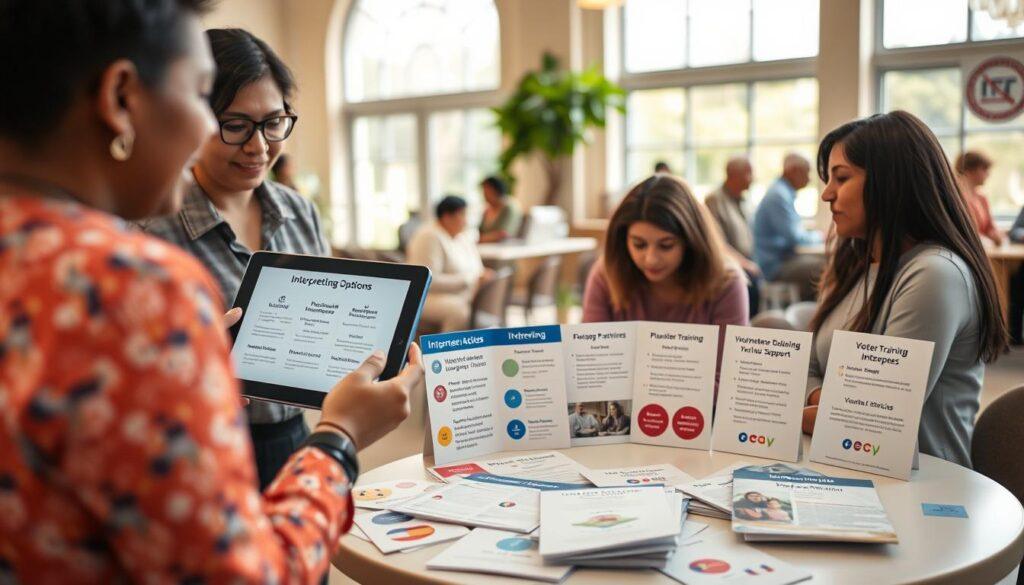
The aim is for a smooth, private, and accurate conversation between the voter and the ballot. No misunderstandings allowed. Confidentiality is key, and accuracy is essential. That’s why training on nonpartisan guidelines is a must for support providers.
True language access means creating a system where every voter can participate with dignity. It ensures the message is clear and understood.
Digital access tablets screen readers high contrast offline capture for poor signal
Why is voting online so hard? We can order pizza with our voices, but voting is a puzzle. It’s not just about following the law. It’s about making the internet accessible to everyone.
Imagine trying to vote with your eyes closed. That’s what many people face every day. They use assistive tech to navigate the web, but it’s not easy.
- Skip Navigation: A hidden link that lets screen readers jump past repetitive menus. Without it, users must listen to every header on every page.
- Alt Text: The descriptive label for images. A missing alt tag turns a critical infographic into silent, meaningless space.
- Color Contrast: Poor contrast isn’t just an aesthetic flaw; it’s visual static that renders text unreadable for people with low vision.
- Captions & Transcripts: Video without captions is a lecture in a soundproof room. It locks out Deaf and hard-of-hearing voters completely.
Checking for these issues is easy. Tools like WebAIM’s WAVE or AChecker can help. They scan your site and show where it’s not accessible.
| Tool | Primary Function | Best For | A Key Feature |
|---|---|---|---|
| WAVE | Visual feedback overlay | Quick, intuitive checks | Flags contrast errors with an icon right on the page |
| AChecker | Code validation against guidelines | Technical, thorough audits | Tests against WCAG 2.0 A, AA, and AAA standards |
| NVDA / ChromeVox | Screen reader simulation | Experiencing your site as users do | Free software that reads aloud page content and structure |
Screen readers like NVDA or ChromeVox are not magic. They read out the website’s code. If your site isn’t coded right, they can’t help.
But there’s a big problem most plans ignore: offline access. A great digital guide is useless in areas with no internet. We need to make sure everyone can access information, even without the internet.
Digital access is more than just making websites work. It’s about designing for everyone, online and offline. It’s about making sure everyone can vote, no matter what.
Serving voters with mobility vision hearing and cognitive disabilities procedure guides
Serving voters with different disabilities needs a flexible approach to respect everyone’s dignity. The idea of one solution for all is flawed. A ramp won’t help someone with PTSD who’s overwhelmed by noise. A Braille pamphlet is useless to someone who needs a clear guide to manage their anxiety.
Disability inclusion becomes real when we meet each voter’s needs. It’s about adapting for everyone. For example, a voter with low vision might need a ballot that stands out against the background.
Consider a Deaf voter who needs a certified ASL interpreter, not a poll worker writing notes.
Data shows a big gap. Many voters with cognitive disabilities find standard procedures confusing. It’s not about being smart. It’s about how things are designed. Procedural dignity makes voting empowering, not stressful.
For cognitive needs, we need plain language forms and a clean space. It’s not just about short sentences. It’s about clear steps and guides that answer “what’s next?” before you have to ask.
For sensory disabilities, we use a mix of tech and human help. Assistive tech like screen readers is key. But, having someone who knows how to use it makes all the difference.
The following table shows how we move from basic accommodations to true procedural dignity:
| Common Disability Need | Standard Accommodation | Procedural Dignity Upgrade |
|---|---|---|
| Mobility & Fatigue | Designated parking spot. | Clear, short-path routing from car to booth, plus an option for expedited processing. |
| Low Vision | Request a large-print ballot in advance. | On-demand ballot display customization (high-contrast, large text) on a tablet at the polling place. |
| Hearing Loss | Written instructions available. | Access to a video remote interpreting service on a tablet for real-time, signed communication. |
| Cognitive & Anxiety Disorders | A quiet area, if possible. | A visual, step-by-step procedure guide available in multiple formats (paper, digital) to preview the entire process. |
This table is more than a list. It’s a call for skill over gadgets. The most valuable tool is a well-trained poll worker, not expensive tech.
True disability inclusion sees the person, not just their disability. A voter with tremors might need a signature stamp. But they also need a poll worker who offers it without making a fuss. That’s the subtle art.
The goal is to make the process itself accessible. When we succeed, we go beyond just following rules. We give voters confidence. Every voter, no matter how they see, hear, or process things, deserves to feel capable when they vote.
Transportation and wayfinding transit info drop off zones signage maps
Have you ever looked at a government map and felt confused? It’s like trying to solve a puzzle blindfolded. The polling place might be ADA compliant, but getting there is a challenge. The voting journey starts when you leave your home.
Choosing hard-to-reach locations was a way to block people. It’s like a secret place with no clear path. The answer is not just a building. It’s about making the whole journey easy.
Let’s tackle this problem step by step. First, transit info needs to be clear and proactive. Just having a bus stop nearby isn’t enough. Voters need to know which line to take, where to transfer, and how far to walk from the stop. A detailed Transit Connectivity Plan is a good start. But it must be simple and easy to follow.
The drop-off zone is more than just a painted curb. It’s a safe, clear area that’s easy to find. It needs clear signs, a flat surface, and a direct path to the polling place. No surprises along the way.
Signs are important too. They should be easy to read, not just for birds. Use big letters, clear symbols, and many languages. This makes it easy to find your way from major spots to the polling place.
Maps are key too. Digital maps must be easy to use, even for those with disabilities. They should work with screen readers, have high-contrast options, and work offline. A paper map in large print is also essential. It’s about making navigation simple, not a challenge.
This is more than just planning. It’s a welcome to the voting process. When we make it easy to get to the polls, we show that every vote matters. It turns a difficult task into a simple one. Knowing these voting rights and procedures is important. But knowing you can get there is just as vital.
The goal is to make it simple. Voters should focus on their choice, not the journey. That’s how we create a system that truly includes everyone. The vote is the goal. The journey should be easy.
Feedback and grievance channels accessibility survey escalation path
Proactive listening is more than just handling complaints. It’s about improving our democracy. Think of the “comments box” in a corner. It’s often a place where suggestions disappear without making a difference.
If a problem in a polling place goes unnoticed, it won’t get fixed. We need to change how we handle feedback. It’s not just for complaints. It’s a key place for innovation and disability inclusion.
We should look for problems, not just wait for them. We need surveys that are easy to use in many ways. They should be online, by phone, and in person. And they must be in many languages for true language access.

A survey is just data. It needs a clear way to make changes. Voters should have a way to escalate issues without fear of backlash. The aim is to solve problems, not to punish.
When places listen to feedback, even legal actions, they do better. This builds trust and stronger communities. It’s how we make our democracy listen better.
Partner with disability and immigrant advocacy groups co design events
Think about this: your top advisor on language access might be a grandmother who votes in Mandarin. Your best critic for disability inclusion could be a teen who uses a screen reader. True wisdom comes from working together, not alone.
Here’s a hard truth. You can follow all ADA rules and translation guidelines but feel like you’re not really including everyone. Why? Because following rules is just a checklist. True inclusion comes from talking and working together.
Studies show that when election officials really connect with language-minority communities, things get better. It’s not about being watched; it’s about learning from the community itself.
So, what does this mean in real life? Don’t just make promises. Use the advocacy toolkit approach. Don’t just invite groups to meetings. Host a design-thinking workshop with local disability and immigrant groups.
Let them really challenge your ideas. Have them review your ballot with fresh eyes. Ask them to test your website without sight. Ask them to write your poll worker training videos. This is a test no auditor can give.
This teamwork changes everything. You move from being a service provider to a partner solving a problem together. The community’s real-life experiences become your best guide. It’s the difference between just providing access and truly welcoming everyone.
The table below shows how moving from a rule-following to a partnership-based approach changes everything.
| Top-Down Mandate Approach | Co-Design Partnership Approach |
|---|---|
| Solutions are based on regulatory interpretation. | Solutions are based on lived experience and direct feedback. |
| Goal is to avoid legal liability. | Goal is to build trust and remove authentic barriers. |
| Community groups are seen as complainants or monitors. | Community groups are seen as co-creators and essential experts. |
| Innovation is slow, reactive, and fear-driven. | Innovation is rapid, proactive, and mission-driven. |
| Success is measured by checking boxes. | Success is measured by user satisfaction and increased participation. |
This is where wisdom meets community organizing. You offer the platform and resources. They bring the real knowledge and truth. Together, you create a system that people actually want to use.
The last piece is knowing you don’t have all the answers. That’s okay. When you share the design process, you turn language access and disability inclusion into a shared mission. Now that’s a resolution worth passing.
Metrics track accommodation requests fulfillment times and satisfaction
So, how do we know our inclusivity efforts aren’t just performative? Feelings are nice. Data is better.
We move from anecdotes to a dashboard. Track every accommodation request for ASL, large print, or language access. Measure fulfillment times. Most importantly, score voter satisfaction. Did the assistive tech work without issues? Was the plain-language guide easy to understand?
Look at the numbers from places that did the work. In San Diego, targeted language assistance helped drive a registration increase of over 20% among Latino and Filipino communities. In Apache County, improved Navajo language support contributed to a 26% turnout increase. That’s the benchmark.
This analytical rigor transforms goodwill into a compelling story. Quantifying our efforts in ADA compliance and assistive tech deployment proves their value. It justifies further investment to election officials who speak the language of metrics.
Inclusion isn’t a vague ideal. It’s a measurable, achievable reality. We end not with a pat on the back, but with a live dashboard for the future—one that tells us exactly where to improve next.