Imagine a community event with good intentions and free coffee. It starts with a table for signing people up. But, it quickly turns into a partisan campaign office. This is where civic engagement often fails.
This isn’t about writing a beautiful mission statement. It’s about legal protection. Your signs are like a promise to democracy: first, do no (partisan) harm.
The IRS is very clear for 501(c)(3) nonprofits. They can’t participate in campaigns or endorse anyone. But, they can help with voter registration and other nonpartisan activities.
So, who are you? You’re a neutral helper in a world full of politics. Who are you not? You’re not a campaign office or a PAC. Your signs must clearly show this.
Getting this right is key to your event compliance. It’s the first thing on your voter registration compliance checklist. Anything less can make you look unprofessional.
Pre event approvals venue permits insurance county notices
This section is like the ‘pre-flight checklist’ for your civic mission. It’s the necessary paperwork that keeps your event legal and running smoothly. Before you start, you must tackle the administrative tasks. This ensures your event won’t be stopped by missing signatures or un-notified officials.
Your place of work, like a library or community center, has to follow the law for events. It’s about doing the right thing, not slowing you down. This step is key to a strong foundation for your event.
The Permit Puzzle: Securing Your Legal Footprint
Great, you’ve found the perfect public space. Now, you need permission to use it. A “public forum” needs a permit for organized events, like tables and crowds.
Getting a permit is about working with city officials. It makes sure your event isn’t a surprise and that you’re not blocking anything important. Think about safety and access from the start.
This shows you’re serious and professional. It turns your event into a recognized civic service.
Insurance: The Adult in the Room
Liability insurance is a big deal. Accidents can happen, even with the best planning. A volunteer might trip, or a table might fall.
Your venue will want proof of insurance, naming them as an additional insured. It’s about being responsible and prepared. Treating insurance as a must-have is wise. It lets everyone focus on the event, not worries.
County Notices: Your Diplomatic Cable
Next, you send a notice to the county clerk or board of elections. It’s not about asking permission, but showing you’re following the rules.
This notice does several things. It tells the county about your event. It opens a line of communication. And it shows you’re committed to being transparent and working with the authorities.
Send this notice with the same seriousness as a permit. Having a receipt proves you’re serious. When you check this off your pre-event list, you’re not just following rules. You’re building trust and making things easier for everyone.
Materials control numbered forms secure containers duplicate prevention
If voter registration were a heist movie, materials control would be the laser-grid security system. It’s where forensic accounting meets community service. Every blank form, every completed application, and every storage box is key evidence for public trust.
Your voter registration compliance checklist is at stake here. Loose forms lead to loose morals, as they say. We aim to create a system so secure, it would make a bank vault jealous.
Numbered Forms: The Provenance of Every Paper
Forget anonymous stacks of paper. Every form must have a number, a serial code that tracks its journey. This isn’t just about following rules; it’s about knowing where everything comes from and where it goes.
Officials call this a chain-of-custody log. It’s a detailed record of security, possession, and control. It’s like a passport for paperwork, marking every hand it passes through.
This tracking also applies to the secure ballot area. This area is for handling sensitive materials. It turns a random table into a secure fortress.
Secure Containers: More Than Just Fancy Boxes
A locked box is a symbol of your commitment. Secure containers are bought for their security, not looks. They keep secrets, they don’t leak.
Once numbered forms are inside, the container becomes part of the chain. It’s a silent protector. Its job is to prove nothing has changed.
Duplicate Prevention: Stopping Chaos at the Door
This is the guard against electoral chaos. Duplicate prevention stops one person from becoming ten voters by mistake. It catches clones before they enter the system.
What’s a duplicate ballot? It’s a second ballot from a voter who has already voted. Your system is the bouncer that spots fake IDs.
It uses numbered forms and logs to check in real-time. It’s the difference between a smooth operation and a scandal.
| Component | Primary Function | Analogy |
|---|---|---|
| Numbered Forms | Creates a unique, traceable identity for every document. | A serial number on a museum artifact. |
| Chain-of-Custody Log | Records every transfer of possession and control. | A flight log for a piece of critical cargo. |
| Secure Containers | Provides physical integrity for materials between handlers. | A bank’s safe deposit box. |
| Duplicate Prevention Protocol | Systematically identifies and flags possible duplicate submissions. | A concert ticket scanner that catches forgeries. |
Mastering these elements turns your project into a bulletproof process. It’s the backbone of any serious voter registration compliance checklist. When done right, it prevents errors and builds a story of integrity that the public can see and touch.
Privacy standards PII minimization screen shields lockbox chain of custody
Think of personally identifiable information (PII) like plutonium. It’s very useful but also very dangerous. You need a special box to keep it safe. Your table is that box.
This isn’t just a suggestion. It’s about being very careful. You want to make sure the data is safer with you than on their phone. Let’s build a strong privacy fortress.

The Art of PII Minimization: Collect Less, Sleep Better
The first rule of data handling is to only collect what you need. Every extra field is a risk, not a benefit. Why do you need the full Social Security Number when just the last four digits are enough?
Colorado law says PII includes things like SSNs and driver’s license numbers. Treat this list as your red flag inventory. Before you start, check each piece of data. If it’s not needed for registration, don’t include it. A simple form is a secure form.
Physical Privacy: Screens, Shields, and the Sacred Lockbox
You’re in public, but the data must stay private. Use screen shields to create a private space. They stop others from seeing the data and show you’re serious about privacy.
The lockbox is the last, safe place for forms. It should be strong, locked well, and tied to the table. The rule is simple: a form is either with a volunteer, being processed, or in the lockbox.
The Chain of Custody: Tracking Data Like a Precious Relic
From the moment a form goes in the lockbox to when it’s submitted, keep a tight chain of custody. It’s like tracking a museum artifact. Keep a detailed chain-of-custody log for every handoff.
Who had the key? When did the box get sealed? Who moved it, and where? Each step must be signed and timed. This log is your proof of secure handling.
By following these steps—minimization, physical barriers, and documented custody—you show true privacy and PII protection. Your event becomes a model of secure data handling. It shows you value trust as much as registration.
Volunteer conduct dress code political apparel policy social media guidance
Managing volunteers is like trying to herd cats, but these cats have opinions and phones. They represent your team and can be a big risk. This section aims to create a professional team, not stifle their spirit. We’re setting rules to keep your event’s image and mission clear.
Think of your volunteers as diplomats. One wrong move or tweet can cause trouble. Our rules are based on nonprofit and campus safety plans to keep things professional.
The Uniform of Impartiality: Dress Code and Political Apparel
Let’s talk about what to wear. A “Vote or Die” t-shirt is not okay. Your clothes send a message.
The policy on political clothes is strict. It’s not about judging your views. It’s to protect the voting process.
Here’s what your voter registration compliance checklist for clothes should include:
- Neutral Colors: Wear your organization’s colors or simple, non-partisan shades.
- No Slogans: Avoid any text or images that could be seen as supporting or opposing a candidate or party.
- Professional Presentation: Clothes should be clean, modest, and fitting for the event. It’s not a concert, it’s a civic duty.
This isn’t about controlling what you wear. It’s about showing respect for the voter’s experience.
The Digital Frontier: Social Media and Photography Policy
The internet is a tricky place. A selfie with a campaign poster in the background can quickly turn your event into a political meme.
Your social media rules must be clear. They protect the voter’s privacy and your organization’s neutrality.
Your photography policy is key. What gets shared, and what stays private? The rules are strict but necessary.
- No photos of completed registration forms or any personally identifiable information (PII). Ever.
- General crowd shots are okay, but always ask for verbal consent if someone is clearly shown.
- Absolutely no posting of images with political signs, candidate items, or volunteers in non-compliant clothes.
- Encourage volunteers to use event-specific hashtags, not personal political ones.
Think of your team as a digital security team. Encourage them to watch their posts and report any concerning online activity. This makes your team a strong digital defense.
These guidelines, from dress code to online behavior, focus on the voter. They make sure the attention is on the voter, not on the volunteer’s opinions.
Accessibility obligations ADA layout seating interpreters large print and plain language
An inaccessible voter registration drive is like a screen door on a submarine. It’s not just about avoiding lawsuits. It’s about making sure every single eligible person can participate. If your event isn’t accessible, it’s not a registration drive. It’s an exclusion zone.
The definitions in election code for “audio ballot” or “absentee ballot” are precise. They help create clear paths for access. Your setup must do the same. This is the heart of any voter registration compliance checklist.
ADA Layout & Seating: Beyond the Ramp
The token ramp on a building’s side entrance is not enough. Real ADA layout focuses on the flow of space. Can a wheelchair user easily move from the check-in table to the private screening area?
Seating is more than just one chair in the corner. It’s about having available, dignified seating that fits into the flow. Is it near power outlets for medical devices? Is the path to it clear? This detail is as important as ballot handling.
The Interpreter Imperative
Providing sign language interpreters is essential, not optional. It’s a bridge to participation. Treating it as optional is like giving someone a ballot in a language they don’t understand.
This is where education meets civic duty. Preparation is key. You don’t wait for a request. You announce interpreter availability in all promotional materials. It shows you’ve built the bridge before anyone asks.
Clarity in Print: Large Print & Plain Language
Legalese and small fonts are barriers to voter engagement. They’re like “Do Not Enter” signs. Large print materials are about respect and clarity, not just magnification.
Plain language is the game-changer. It means making complex language simple. Your forms and instructions should be clear to everyone. Could someone without a law degree understand them?
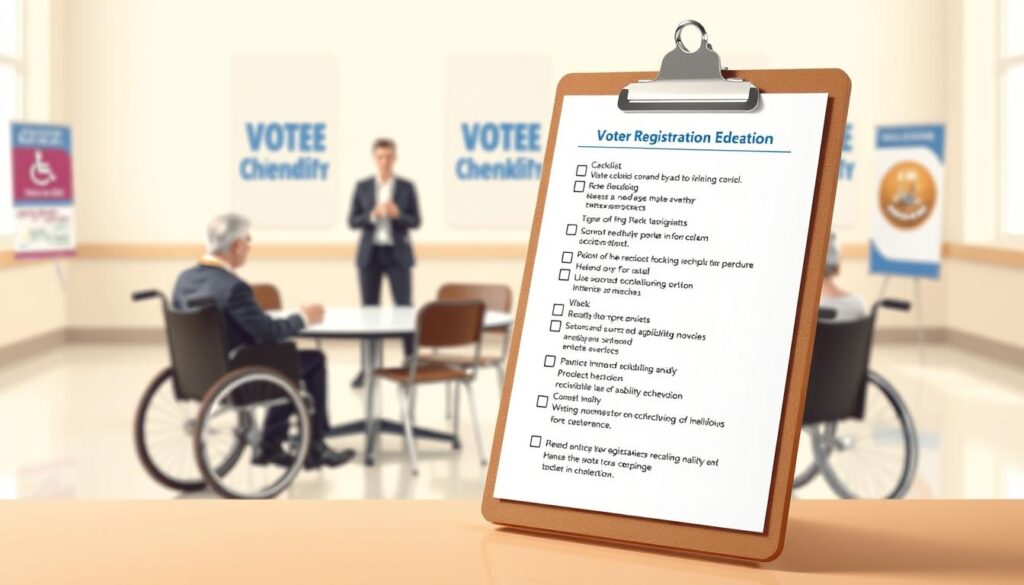
To move from theory to practice, here’s a breakdown of key features. This isn’t just a list; it’s a blueprint for building an inclusive event from the ground up.
| Accessibility Feature | Core Purpose | Key Implementation Tip |
|---|---|---|
| ADA Layout | Ensure unobstructed movement for wheelchairs, walkers, and service animals throughout all event areas. | Conduct a walk-through with a volunteer using a mobility aid before the event opens. Check ADA’s web guidance for clear floor plan standards. |
| Accessible Seating | Provide integrated, dignified resting points without segregating participants. | Place seats at multiple stations (check-in, waiting area, form assistance). Ensure adjacent space for a companion. |
| Sign Language Interpreters | Provide real-time language access for Deaf and hard-of-hearing participants. | Contract interpreters well in advance. Position them in clear sightlines with adequate lighting. |
| Large Print & Plain Language Materials | Eliminate visual and comprehension barriers for all readers. | Have large print versions of all forms and instructions on colored paper for easy identification. Rewrite jargon into simple, active sentences. |
When finalizing your voter registration compliance checklist, ask yourself: Is my event as easy to navigate for a person with a disability as it is for me? If not, you have more work to do. True access is the foundation, not just a line item.
Incident response medical weather safety and reporting
Planning for an incident at a voter registration drive is like buying insurance for a sunny day—it feels unnecessary until the storm hits. This part of your voter registration compliance checklist isn’t about pessimism. It’s about being ready for anything.
From fainting spells to heated arguments, being prepared turns panic into procedure. It’s all about confidence and knowing you can handle anything.
Medical Preparedness: More Than a Band-Aid
Where’s the first-aid kit? Who knows how to use it? These aren’t questions for when someone goes pale. Make sure at least one volunteer is certified in CPR/First-Aid.
Your kit should have more than just bandages. Include gloves, antiseptic wipes, and a cold pack. Practice your plan. Ask, “A volunteer reports feeling dizzy and nauseous. What’s step one?”
Weathering the Elements
That cheerful pop-up tent? In a 30mph gust, it’s a kite with a liability waiver. Make sure all structures are secure. Have a plan for sudden rain or extreme heat.
Your voter registration compliance checklist must be ready for any weather.
De-escalation and General Safety
De-escalation is a skill, not a personality trait. It can be learned. Train your team to recognize early signs of agitation.
Have a clear plan for dealing with agitated individuals. Use neutral language and try to move the discussion to a private area. Have a discreet signal to alert site security or law enforcement if needed.
Make a simple on-site safety checklist for volunteers. Include topics like materials security, emergency protocols, and suspicious activity.
- Materials Security: Are registration forms in locked containers when not in use?
- Emergency Protocols: Location of exits, first-aid kit, and emergency contacts.
- Suspicious Activity: Examples like individuals photographing private voter information or aggressively questioning volunteers.
- Buddy System: No volunteer should be isolated, specially at the end of the event.
The Reporting Imperative
If something happens, what gets documented, to whom, and when? Ambiguity here is your enemy. Create a simple incident report form.
It should capture the who, what, when, where, and names of any witnesses. Define your reporting chain clearly. This voter registration compliance checklist item prevents details from being lost.
This isn’t fear-mongering. It’s about being prepared. By planning for all scenarios, you won’t be caught off guard. You’ll just be executing the plan.
Closeout reconciliation audit logs receipt from county submission timestamp
Think the event is over when the doors close? That’s when the clock starts ticking on your legal handoff. Volunteers are exhausted, the pizza is cold, and the siren song of “I’ll deal with it tomorrow” is deafening. Resist. This closeout phase isn’t just cleaning up. It’s where you build a strong, court-admissible story of your event’s integrity. Miss a step here, and all your hard work becomes irrelevant.
The Reconciliation: Forms Issued vs. Forms Returned
Reconciliation is your final accounting. It’s the simple, brutal math of forms issued versus forms returned. Every single numbered sheet must be accounted for. An unreturned form isn’t just lost paper; it’s a plot hole in your story that invites scrutiny. This process closes the loop on your materials control, providing the definitive proof that nothing slipped through the cracks.
The Audit Log: Your Event’s Chronological Diary
An audit log, as defined by election code, is a record generated by the system that provides a timeline of all activities. Think of it as the black box for your voter registration drive. It logs every critical action, from processing forms to terminating the tabulation process. This isn’t just data; it’s your chronological diary of integrity. A complete, unbroken log answers the “what happened and when” question before anyone even thinks to ask it.
The County Receipt: Your Proof of Responsible Transfer
Getting a physical, signed receipt from the county clerk isn’t a polite suggestion. It’s your legal handoff. This document transforms your responsibility into theirs. Without it, you have no proof you delivered the materials. It’s the difference between a documented transfer and a “he said, she said” scenario that never ends well for the volunteer.
The Submission Timestamp: Your Immutable Alibi
That timestamp on your submission? That’s your alibi. In the world of submission deadlines, the timestamp is immutable proof you met the mark. It’s the digital fingerprint that places your package at the county office before the clock struck midnight. A missed deadline here doesn’t just incur a penalty; it can render all your prior work legally void.
| Closeout Component | Primary Purpose | Consequence of Failure |
|---|---|---|
| Form Reconciliation | Final accounting of all materials (issued vs. returned) | Unaccounted forms create suspicion and potentially fraud allegations. |
| Audit Log Finalization | Create a complete, chronological record of all system activities. | Gaps in the log undermine the entire event’s integrity and chain of custody. |
| County Receipt Acquisition | Obtain legal proof of transfer of materials and responsibility. | No defense against claims of non-delivery or lost materials. |
| Timestamped Submission | Provide irrefutable evidence of meeting all official submission deadlines. | Missed deadlines can invalidate the entire event’s registrations. |
To master this phase, your voter registration compliance checklist must be ruthless. Follow these steps:
- Conduct the reconciliation with two volunteers present for verification.
- Print and sign the final audit log, attaching it to the main packet.
- Do not leave the county office without a stamped, dated receipt.
- Immediately note the official submission timestamp in your own records.
- File everything together, starting your retention clock.
Treat the closeout with the gravity of a surgeon closing an incision. It seals the work, protects the patient, and provides the documentation for what was done. A sloppy closeout contaminates the entire operation. A precise one turns your event from a well-meaning effort into a legally defensible success. This is the final, non-negotiable line item on any serious voter registration compliance checklist.
Documentation retention schedule secure storage and destruction window
After the event, your real work starts. You must keep sensitive data safe for a long time. This is the final step in your voter registration compliance checklist.
You become an archivist, keeping important paperwork safe. You decide what to keep, where to store it, and when to destroy it. This ensures privacy and legal compliance.
The Retention Schedule: Your Legal Timeline
Not all documents are the same. Some are temporary, while others must be kept for a long time. Your retention schedule is based on state laws and common sense.
What documents do you keep?
- Audit Logs & Chain of Custody Forms: These prove everything was done right. Treat them like museum records.
- County Receipts & Submission Timestamps: They show when and where you delivered the forms.
- Volunteer Agreements & Training Logs: These show you did your homework in hiring staff.
- Incident Reports: They protect you from any issues that might arise.
Throw away the flyers and unused items. Focus on keeping documents that show a voter’s application journey.
Secure Storage: Beyond the Dusty Closet
“Secure storage” means keeping things safe and organized. It’s not just a dusty closet. Think of it as a secure ballot area or a secure equipment area.
For paper documents, use a locked, fireproof cabinet. For digital files, use strong passwords and encrypted drives. This keeps data safe from unauthorized access.
This step combines privacy with practical needs. You’re now protecting sensitive information.
The Destruction Window: A Scheduled Goodbye
Every piece of data has a lifespan. The destruction window is its final, documented goodbye. You follow a schedule you set at the start.
Why is this important? Random destruction looks bad. Planned, documented destruction looks good. When a document’s time is up, you destroy it.
This means:
- Scheduling a Shredding Session: Use a shredder for small batches or a certified service for big ones.
- Creating a Destruction Log: Record what was destroyed, when, and how. Yes, document the destruction.
- Then, and only then, you can delete digital data. The data is gone for good.
Mastering this cycle—schedule, store, destroy—completes your voter registration compliance checklist. It turns chaos into a managed program. It’s the quiet heroism of democracy work. And it lets you sleep well, knowing your event’s legacy is secure.
Post audit self assessment and corrective actions
The last volunteer has left. The boxes are sealed. Now what? The most professional step is often skipped. We call it the post-audit. It’s like a debrief without blame.
It’s the sign of an operation that aims to leave a lasting legacy. Not just run events.
The Mirror Stage
This isn’t about blame. It’s about growing. Did the nonpartisan signs work? Were the privacy shields effective? Was the flow smooth?
A structured self-assessment asks these questions. It’s like a chef tasting their own soup. Resources like the National Council of Nonprofits’ “Advocacy in Action” show how to improve. Your voter registration checklist should grow with your process.
From Lessons to Legacy
Corrective actions are promises to your future self. They turn observations into upgrades. This step makes you a builder, not just a box-checker.
A wise person doesn’t just follow rules. They understand why and how to excel within them. A thorough post-audit refines your approach. Making your next checklist smarter and more secure. That’s how you do it right, every time.