Political outreach can feel like background noise in a busy bar. Your message is up against Netflix, dinner, and avoiding unknown calls. So, how do you get noticed? It’s about knowing when to call and when to text.
We’ll look at the strategy behind calling versus texting. Goals like voter ID, recruiting volunteers, and getting out the vote are key. Remember, just raising awareness is not enough. Timing is everything, to avoid interrupting dinner and to match civic engagement.
And let’s talk about who to reach out to. Treating every voter the same is not practical. Tools like ThruTalk and Solidarity Tech show why a multi-channel approach is essential. It’s the difference between a low contact rate and one that actually makes a difference.
Script elements opening credibility issue brief ask and verification
What if your phone script could turn a cold call into a warm conversation? In phone banking, the first impression is key. Your opening lines can make or break the call. The first seven words can spark curiosity or lead to a hang-up.
The Opening Gambit: Why Your First Seven Words Determine Everything
Imagine picking up the phone and hearing, “Hi, my name is [VOLUNTEER NAME], and I’m calling on behalf of…” By then, the listener might already be gone. Start with something that grabs attention. Use friendly, relatable language. Think of it as a warm handshake, not a cold sales pitch.
Credibility Signals: Name-Dropping Without Sounding Like a Robot
Credibility isn’t about listing endorsements like a receipt. It’s about connecting with your audience. Mention local issues or names that matter to them. For example, “I’m reaching out because I heard about the recent community meeting on the park renovation.” This shows you understand their world.
The Ask and Verification Dance: Getting Answers Without Interrogation
The moment of truth is the ask. This is where you check if they’re interested. But, it’s a dance, not an interrogation. Frame your ask naturally. For instance, “Would you be interested in learning more about how you can support this initiative?”
Verification is also key. It’s not just about confirming identity. It’s about making sure you’re talking to the right person without feeling like they’re at the DMV. A simple, “Can I confirm I’m speaking with [VOTER NAME]?” works wonders without feeling intrusive.
Here’s a quick table summarizing effective script elements:
| Element | Description | Example |
|---|---|---|
| Opening Line | Engaging introduction that grabs attention | “Hi, I’m [NAME], and I wanted to chat about our community’s future.” |
| Credibility Signal | Contextual reference to build trust | “I’m calling because I heard about the recent community meeting.” |
| The Ask | Invitation to engage without pressure | “Would you like to know how you can help?” |
| Verification | Confirming the right person is on the line | “Can I confirm I’m speaking with [VOTER NAME]?” |
Adding these elements to your phone scripts can make a big difference. With practice and role-playing, volunteers can become confident callers. Each call becomes a step towards building meaningful connections.
Tools overview dialers SMS platforms and caller ID setting
Phone banking has changed a lot. Now, thanks to new tools, groups can talk to voters easily and well. We’ll look at three key parts of phone banking: dialers, SMS platforms, and caller ID settings.
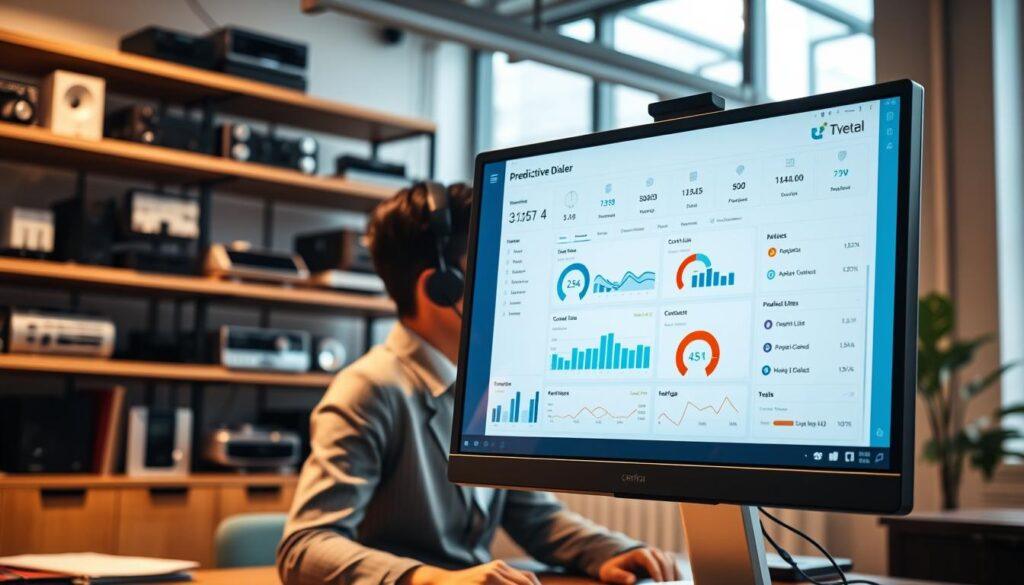
Predictive Dialer vs. Power Dialer: The Efficiency Arms Race
There are two top dialers: predictive and power dialers. Each has its own benefits. Knowing the difference helps pick the best tool for your campaign.
A predictive dialer dials many numbers at once. This cuts down on waiting time. It lets agents talk more and wait less. For each agent, it can call up to three contacts at once, only connecting to live answers.
The power dialer dials one number at a time but faster than dialing by hand. It’s great for campaigns that value personal talks. It lets volunteers have meaningful chats without the hassle of many calls at once.
| Feature | Predictive Dialer | Power Dialer |
|---|---|---|
| Calls per Agent | Up to 3 | 1 |
| Idle Time | Minimal | Moderate |
| Ideal Use Case | High-volume outreach | Personalized engagement |
SMS Platforms and the Art of the Follow-Up Text
In today’s world, a simple call isn’t enough. SMS platforms are key for follow-ups. They let volunteers send quick, approved texts from their phones. This keeps messages consistent and saves time.
With SMS, campaigns can reach voters who skip calls. It’s a smooth way to follow up and keep talking. A timely text can strengthen your message and push for action.
Caller ID Reputation: Why Your Local Number Is Political Gold
Caller ID is more than just a detail. It’s key to your success. A local number makes voters more likely to answer than an 800-number or “Unknown Caller.”
Tools like ThruTalk and Solidarity Tech help manage caller ID. They let groups show local numbers, building trust and increasing answers. Keeping volunteer privacy and showing a local presence is vital for good outreach.
Compliance TCPA opt in records quiet hours and local laws
Understanding TCPA compliance can seem like a legal maze. But don’t worry! Knowing these rules is key to avoiding legal trouble. This section explains the Telephone Consumer Protection Act (TCPA) and its impact on your campaigns.
TCPA Landmines: What the Telephone Consumer Protection Act Actually Demands
The TCPA is not just a guide; it’s the law. Automated dialers are okay if not used for marketing. If you contact people from the voter file (VAN), that’s fine. But ignoring the TCPA can cost you a lot. Here’s what you need to know:
- Always get express consent before calling voters.
- Keep detailed records of every opt-in.
- Know your local laws, as they differ a lot.
Opt-In Records and the Paper Trail That Saves You
Your opt-in records must be as organized as your candidate’s tax returns. Why? A good paper trail can protect you from legal issues. Document every opt-in, including:
| Date | Voter Name | Method of Consent | Notes |
|---|---|---|---|
| 01/01/2023 | John Doe | Text Message | Verified via SMS |
| 01/02/2023 | Jane Smith | Phone Call | Confirmed verbally |
| 01/03/2023 | Emily Johnson | Online Form | Received email confirmation |
Quiet Hours, Time Zones, and the Geography of Not Getting Sued
Quiet hours are about being polite and avoiding calls at bad times. For example, don’t call Arizona voters at 9 PM if it’s 6 PM in New York. FCC rules are key. Here’s how to follow them:
- Set call times to avoid busy hours.
- Adjust for time zones to call at the right time.
- Use “Term Codes” to mark numbers as “Do Not Call.”
Knowing these rules is important. It’s not about scaring you; it’s about making compliance easy. For more on compliance, check out this article on TCPA and CTIA compliance for SMS.
Volunteer training role plays objection handling logging and transfers
Training volunteers should be exciting, not a burden. Most training is dull. Volunteers are often left to figure things out on their own.
Role-playing is essential. It helps volunteers practice real conversations. Pair up and take turns playing different roles. It’s great when the organizer joins in, showing they’re part of the team.
Role Plays That Don’t Make Everyone Want to Die Inside
Make role-playing fun. Use formats that keep conversations flowing but feel real. Imagine a voter talking about something unexpected, like property taxes.
It’s not just about scripts. It’s about having genuine talks. When volunteers feel at ease, they’ll do better.
Objection Handling: From “I’m Not Interested” to “Tell Me More”
Handling objections is about listening and understanding, not pushing. Common issues include not wanting to talk politics or not knowing how you got their number. Teach volunteers to turn these into chances for conversation.
For example, saying “I understand, but can I share why this matters?” after someone says they’re not interested can start a real talk.
Logging Dispositions and Transfers: Data Hygiene as a Political Act
Logging is key, but often overlooked. Accurate data is more important than making lots of calls. Teach volunteers to tell the difference between “Maybe” and “No.” Remember, “Maybe” is really “No,” and “Yes” means they’re committed.
Transfers need special training too. This ensures smooth connections when volunteers pass calls to others. Learning how to transfer calls well is critical.

Patch through to officials steps consent whisper messages and follow up
The patch-through call is where politics meets personal connection. It’s when a voter’s voice rings through a legislator’s phone. But, without groundwork, this moment can quickly become chaotic.
First, let’s talk about the consent whisper. You need the voter’s clear, enthusiastic “yes” before transferring. This isn’t about getting a mumbled “sure.” It’s about getting a clear “yes, connect me.” I’ll share some scripts that feel natural and make your compliance officer happy.
The Consent Whisper: Getting Permission Before the Transfer
Imagine you’re on the phone, and the voter is ready to speak to their representative. You lean into the moment, delivering a concise whisper message. This sets the stage for the transfer. It’s like the opening act before the main event.
The Patch-Through Mechanics: Steps, Timing, and What Happens When the Line Goes Dead
Now, let’s look at the patch-through process. Here are the steps you’ll need to follow:
- Secure verbal consent from the voter.
- Prepare the whisper message.
- Initiate the transfer through your dialer platform.
- Monitor the timing—nothing deflates civic engagement like a three-minute hold.
- Have contingency plans ready in case the official’s office doesn’t pick up or the line drops.
Timing is key. You want to connect voters quickly to keep the momentum alive. If the line goes dead, have a backup plan to re-engage the voter. A smooth connection shows you care.
Post-Patch Follow-Up: Closing the Loop Without Being a Pest
But wait, the patch-through isn’t the end; it’s just the midpoint. Follow-up is essential for tracking impact and maintaining supporter engagement. A quick text or email thanking the constituent and confirming the action taken can go a long way. This opens the door for future engagement without crossing into harassment territory.
Real campaigns have successfully used patch-through strategies to flood congressional offices during critical votes. When executed cleanly, the data shows effectiveness in connecting constituents with their representatives. So, let’s make sure your patch-through calls not only resonate but also create lasting impact.
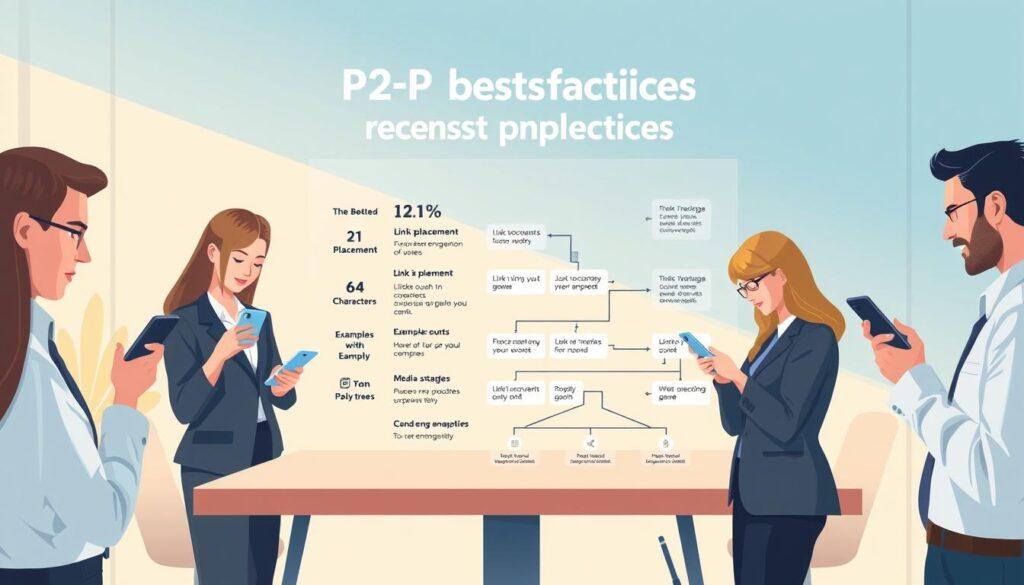
Textbank best practices link placement character count media and reply trees
Textbanking is more than just typing messages. It’s a mix of strategy and finesse. The success of your P2P texting depends on a few key best practices. Let’s explore them.
Link Placement and Character Count: The SMS Haiku
Where you put links in your messages is very important. The best spot is at the start or end. This makes the link easy to find and doesn’t get lost in text.
Also, remember the 160-character limit for SMS messages. But don’t fill every character. Keep your messages short and impactful, like an SMS haiku. Short messages are more likely to be read and acted upon.
Media in Texts: When a GIF Is Worth a Thousand Words
Adding media like GIFs or images can really boost engagement. A well-chosen GIF or image can quickly share emotions and messages. But make sure the media is relevant and the right size. Big files can cause problems and block your messages.
Reply Trees and Automation: Scaling the Conversation Without Losing the Human Thread
Reply trees are important for managing common responses. They help you handle many messages without needing a human for every reply. A good reply tree makes your outreach feel personal while handling routine responses.
But, avoid making the reply tree too rigid. It should feel like a conversation, not a chat with a robot. Knowing when to bring in a human touch is key, for the 20% of responses that need it. This balance is what makes textbanking successful or not.
| Best Practice | Description | Impact |
|---|---|---|
| Link Placement | Place links at the beginning or end of messages. | Increases click-through rates. |
| Character Count | Aim for concise messages under 160 characters. | Enhances readability and response rates. |
| Media Usage | Include relevant images or GIFs. | Boosts engagement and interest. |
| Reply Trees | Utilize branching logic for common responses. | Scales operations while maintaining personal touch. |
Quality assurance recorded calls sampling and coach notes
In phonebanking, quality assurance is like a lifeguard. It makes sure everyone is doing well. It’s not about catching people off guard. It’s about helping them get better without feeling watched.
With a predictive dialer, you can watch live calls. You can see details, how long they last, and notes. But, just looking at numbers isn’t enough. You need to know what they mean.
Call Sampling: Finding the Signal in a Sea of Conversations
Call sampling is key. It helps you find important calls in a sea of others. AI can spot patterns you might miss. If calls are short, it might mean volunteers aren’t having deep talks.
Recorded Calls and the Feedback Loop That Actually Improves Performance
Recorded calls are top-notch for checking quality. But, they must be handled with care to respect privacy. Make sure you have clear consent for recording. Pick a sampling method that’s meaningful but doesn’t require listening to every call.
By analyzing recorded calls, you can make them useful for training. Spotting patterns or common problems lets you give better coaching.
Coach Notes: From “Good Job” to Actionable Guidance
Coach notes are important but often go wrong. They can be too vague or too detailed. Instead, give specific feedback that helps volunteers improve.
Good coaching happens right after a call, when it’s fresh. Whether it’s online or in person, the goal is the same: observe, diagnose, prescribe, and then step back.
Reporting contact rate opt outs conversions and cost per action
Metrics are the lifeblood of your phonebank. Without them, you’re just going through the motions. Tracking contact rates, opt-outs, and conversions is key. These numbers give you insight and guide your strategies.
Contact Rate and Opt-Outs: The Vital Signs of Your Phonebank Health
Your contact rate tells you the truth. If you’re only reaching 12% of your list, something’s wrong. It could be your timing, caller ID, or an outdated list.
High opt-out rates are a warning sign. A sudden spike means your script, targeting, or volunteer tone might be off.
- Monitor Contact Rates: Keep a close eye on how many people you reach.
- Analyze Opt-Outs: A rise in opt-outs means you need to reassess your approach.
- Adjust Strategies: Use these insights to tailor your campaigns effectively.
Conversion Metrics: From Conversations to Commitments
Now, let’s talk conversions. What percentage of your contacts turned into confirmed RSVPs? And how many of those RSVPs actually showed up? The gap between “Yes” and “showed up” is where many campaigns leak support.
It’s vital to measure and narrow that gap. This ensures your efforts yield results.
Cost Per Action: The Only Number Your Finance Director Actually Cares About
Cost per action (CPA) is the metric finance directors love. Whether your action is a vote, a donation, or a volunteer shift, knowing what it costs is vital. Here’s how to calculate CPA:
- Identify total costs associated with your campaign.
- Divide by the number of actions taken.
- Compare CPA across different channels to find the most effective approach.
Remember, reporting isn’t just for post-mortems. Use nightly caller reports to adjust tactics mid-campaign. This lets you reallocate volunteers to the lists and scripts that are performing well.
Phone a thon event checklist with roles and debrief template
Organizing a phone-a-thon requires careful planning. It’s like the Super Bowl of phone banking. A detailed checklist helps avoid chaos. Assign roles early, like a floor lead and tech support.
Don’t forget the “snack person.” Ensure the tech is ready, including dialer setups and backup internet.
The Pre-Flight Checklist: Roles, Tech, Snacks, and Sanity
Snacks and water boost morale. Use fun cues like a bell to celebrate. It adds energy and excitement.
For virtual events, start with a Zoom call. It unites the team and sets a positive tone.
During the Event: Energy Management and Real-Time Troubleshooting
Managing energy is key. Schedule three-hour shifts to match volunteer stamina. Pacing helps avoid the 90-minute slump.
Be ready to solve problems in real-time. The organizer should make calls, not just oversee.
The Debrief Template: Turning War Stories into Actionable Data
After the event, do a structured debrief. Note what worked and what didn’t. Use a template for tech issues, script feedback, and standout performances.
This turns your phone-a-thon into a learning experience. Each event helps improve the next one, making your efforts more effective.