The average voter registration drive is like a 1998 DMV. It has clipboards, bad handwriting, and slow data entry. This is not how we should be doing things today.
It’s sad to see. But what if your smartphone could change everything? It’s not just a dream.
This article is about making democracy work in the 21st century. We’re talking about digital tools and how they can help.
We’ll look at QR code kiosks, tablet apps, and SMS follow-ups. We’ll talk about security, problems, and how to fix them.
Why is this important? It’s about trust. We need to make sure our voting system is reliable and trustworthy. No time machine needed. We have real work to do.
System Architecture: The Hardware Foundation
Forget software for a moment; the real battle for a resilient voting system is won or lost in the hardware aisle. You can’t run a modern democracy on devices designed for binge-watching and social media scrolling. The choice here is the difference between a sturdy foundation and a house of cards.
This isn’t about finding the shiniest gadget. It’s about contextual engineering. What works in a temperature-controlled county office will melt—literally and figuratively—in a community center parking lot in July.
Device Selection: More Than a Price Tag
The tablet versus laptop debate is a classic. But in civic tech, it’s a strategic decision with human factors. A clamshell laptop on a folding table feels official, maybe even intimidating. A tablet with a well-designed tablet intake app feels approachable, like a friendly digital clipboard.
Let’s break it down:
- Tablets: The MVP for mobile registration drives. Lightweight, incredible cameras for ID capture, and instant-on functionality. The right tablet intake app turns this consumer device into a purpose-built tool.
- Laptops: The powerhouses for data-heavy, stationary operations. Better for complex form management and multi-hour shifts. But they’re anchors, not agile tools.
But specs on a box are a fantasy. The real test is in the field. Nigeria’s Independent National Electoral Commission (INEC) learned this. They moved from generic gear to custom-built Android devices: the IVED for registration and the BVAS for accreditation. These aren’t off-the-shelf tablets; they’re ruggedized, specialized hardware built for their environment. That’s the standard.
Hotspot and Power Management: The Unsung Heroes
Here’s where most plans crack. You think every polling place has perfect Wi-Fi and a spare outlet? That’s a fantasy worthy of a fairy tale. Hotspot power management isn’t a nice-to-have; it’s the spec sheet’s line in the sand.
A device that dies in four hours is a paperweight. Systems need to sip power, intelligently switch between cellular and Wi-Fi, and have battery lives that outlast the longest election day. Because when the power fails, the process shouldn’t.
This hardware groundwork leads to the most critical feature: offline mode. If your architecture assumes constant connectivity, you’ve already failed. A robust offline mode allows the tablet intake app to capture, store, and queue data seamlessly. When the internet comes back, it syncs up without a fuss. No data lost, no voter turned away.
The hardware foundation must be as resilient as the democracy it serves. Everything else is built on top of this. Get it wrong, and the whole digital fortress crumbles.
User Flow: From Scan to “I Voted!”
The path to voting should be quick and easy, like a five-minute phone detour. It’s all about making the process smooth and user-friendly. A good system makes voting feel like a needed service, not a hassle.
Imagine voting as a movie story. You want a clear, exciting journey that ends with a “Fade to Black” feeling. Let’s explore the key scenes.

The Scan: Your Ticket In
It begins with a simple scan of a QR code. This could be on a poster, mailer, or kiosk. It’s not just a link; it’s a key to your personalized voting journey.
Scanning feels active and engaging. It skips the blank search bar and “Where do I start?” worries.
The Pre-Fill: The Concierge Treatment
The QR code unlocks a personalized voting experience. It fills in your details, making the form easy to complete.
Estonia shows how online voting can be seamless. It treats voting like any other digital service, reducing hassle.
Silent Guardians: Eligibility & Error Checks
While you review your info, the system checks your eligibility. It ensures you’re in the right district and haven’t recently moved.
If there’s an error, help appears right next to it. It’s designed for humans, not IT manuals.
The Finale: Confirmation and Capture
The last step is a clear confirmation screen. But the real win is the digital receipt.
This receipt proves your vote was cast. It’s an email, SMS, or on-screen summary. It makes your vote feel real.
A great user flow makes voting easy. It’s designed so not voting feels harder. This builds a habit of civic duty.
Data Security: Building the Digital Fortress
Let’s talk about the important part of keeping democracy safe from digital threats. The user flow is like a welcoming host. The hardware is the strong foundation. But data security is the vault, the guards, and the silent alarm. It’s not flashy, but a single breach can damage public trust. We’re creating a digital fortress, and the plan is strict.
Mobile Device Management: The First Perimeter
Imagine a thousand tablets in the hands of volunteers across precincts. It’s a security team’s worst nightmare. Mobile Device Management (MDM) is your first, and most important, defense. Each device must be secure. Only approved apps are allowed. If a tablet goes missing, you can remotely erase it.
It’s about controlling the physical devices, because you can’t trust something you don’t own.
Encryption: The Unbreakable Seal
Data is like treasure. It needs a strong seal, whether it’s on a server or in transit. Modern encryption standards provide that seal. It’s like translating data into a secret language that only your system can read.
There are no exceptions. This isn’t just a technical best practice; it’s essential for any system handling sensitive data. Without it, you’re broadcasting secrets openly.
Least Privilege: The Guarded Gate
Not everyone needs a master key. The principle of least privilege is about giving people the minimum access needed. A volunteer checking IDs at a library polling station only needs to verify and capture, not access the entire voter roll.
By limiting permissions, you reduce the attack surface. If a credential is compromised, the damage is limited. It’s a simple, yet effective way to manage risk.
Audit Logs: The Immutable Ledger
Transparency is key to trust. You need a perfect, unchangeable memory of the entire process. Every QR scan, every form submission, every admin override is recorded. This immutable audit log is your system’s conscience.
France learned the importance of this when they halted their online voting system due to cybersecurity fears. An audit trail lets officials and the public see that the system is clean. It turns “trust me” into “see for yourself.”
| Pillar of Security | Its Core Function | Real-World Analogy | Key Benefit |
|---|---|---|---|
| Mobile Device Management (MDM) | Controls & secures every physical tablet in the field. | A remote kill switch for a lost company laptop. | Prevents data loss from lost or stolen hardware. |
| Encryption | Scrambles data into an unreadable format without the key. | Sending a letter in a locked briefcase instead of on a postcard. | Protects voter information even if intercepted. |
| Least Privilege Access | Grants users only the permissions they absolutely need. | A bank teller can access the cash drawer but not the vault. | Limits damage from compromised accounts or insider threats. |
| Immutable Audit Logs | Creates a permanent, tamper-proof record of all actions. | A surveillance camera with a time-stamped, read-only feed. | Enables transparency, verification, and builds public trust. |
Estonia’s digital voting success isn’t magic—it’s a solid cybersecurity approach. It’s about being ready for threats and having proof of what happened. The goal is to make digital voting as safe as a paper ballot. That’s the fortress we’re building.
Offline Mode: When the Internet Fails (Because It Will)
If your digital voting system can’t handle a dropped connection, it’s not modern—it’s just fragile. We’ve all been there. The spinner of doom. The “trying to reconnect” message. Now imagine that screen is in a polling place, with a line of voters growing restless. It’s a civic nightmare.
This isn’t a hypothetical. From rural counties in the U.S. to the vast and varied geography of places like Nigeria, reliable internet is a luxury, not a guarantee. A system built only for always-on connectivity isn’t just technically naive; it’s democratically exclusionary. That’s why a robust offline mode isn’t a bonus feature. It’s the emergency brake and the spare tire for the vehicle of democracy.
The core philosophy is simple: never let a lack of bars block a ballot. The technical execution, though, is where the genius lies.
The Store-and-Forward Lifeline
Think of it as the digital equivalent of a postal service. Data doesn’t need to travel instantly. It just needs to get there. This is the “store-and-forward” procedure.
Here’s how it works. A poll worker’s tablet runs a local intake app. When a voter’s information is captured—scanning a QR code, entering details—that data is saved directly onto the device’s secure storage. No internet required. The app gives a confirmation. The voter moves on.
Later, when the tablet finds a Wi-Fi hotspot or a cellular signal, it wakes up. It securely transmits the batched data to the central online registration portal. This sync happens in the background, often at the end of the day. The system is patient. It’s resilient.
Guarding Data Integrity in the Dark
Storing data locally raises a fair question: how do we know it hasn’t been tampered with? This is where data integrity protocols come in.
Each recorded entry is cryptographically signed and hashed at the moment of capture. Think of it as sealing a letter with a unique wax stamp. Any alteration during storage or transit breaks that seal. When the data final syncs online, the central system verifies this digital signature before accepting anything.
This process ensures that the information arriving from the field is exactly what was captured, even after a long offline mode period. It turns a simple tablet into a trusted digital notary.
The Art of Conflict Resolution
Now for the tricky part. What if Jane Doe registers offline in Precinct A, but her data is updated centrally (say, for an address change) while that offline batch is in transit? You have two conflicting truths.
A dumb system would overwrite data or create duplicates. A smart one uses rules. Sophisticated conflict resolution logic analyzes the timestamp, source, and type of change. Maybe the most recent update wins. Maybe certain fields from the central database are always considered authoritative. Perhaps conflicting updates are flagged and held for a human election official to review.
This isn’t just error handling. It’s the system demonstrating wisdom—knowing when to decide and when to ask for help.
To visualize the key differences between a purely online system and one with a robust offline mode, consider this comparison:
| Feature | Online-Only System | System with Offline Mode | Impact on Voter Experience |
|---|---|---|---|
| Operation in Low-Connectivity Areas | Fails completely; process halts. | Continues seamlessly; data stored locally. | No voter turned away due to bad signal. |
| Data Sync Timing | Instantaneous, or not at all. | Delayed; uses store-and-forward. | Voter gets immediate confirmation on device, peace of mind. |
| Conflict Handling | Simple overwrites, risks data loss. | Rule-based merging & human review queues. | Ensures voter record accuracy and integrity. |
| System Resilience | Fragile; single point of failure. | Robust; designed for real-world conditions. | Builds trust in the voting process’s reliability. |
The table makes the equity argument clear. A system that only functions in well-connected urban centers isn’t modernizing democracy. It’s accidentally gerrymandering by bandwidth. It privileges the connected over the disconnected.
Implementing a true offline mode is a statement. It says: “Your vote matters, regardless of your ZIP code’s internet service tier.” It ensures that the entire election cycle timeline, from registration to check-in, proceeds without a digital divide determining participation.
So, the next time you hear about a “cutting-edge” election tech platform, ask one simple question: What’s its Plan B when the internet goes down? The answer will tell you everything about its commitment to real-world democracy.
Accessibility: Democracy for Everyone, Full Stop
If your digital voting tool isn’t accessible, it’s not an election. It’s an exclusive club with a strict door policy. A system that only works for some is not just inconvenient. It’s a civil rights failure.
The promise of online voting is to make elections more accurate and accessible. But if we fail at the digital part, we’re just building a fancier barrier.
This isn’t about wheelchair ramps. It’s about creating a digital public square where everyone has a seat. The goal is zero friction. When a citizen struggles with a form they can’t see or understand, that’s not an edge case. It’s a design flaw.
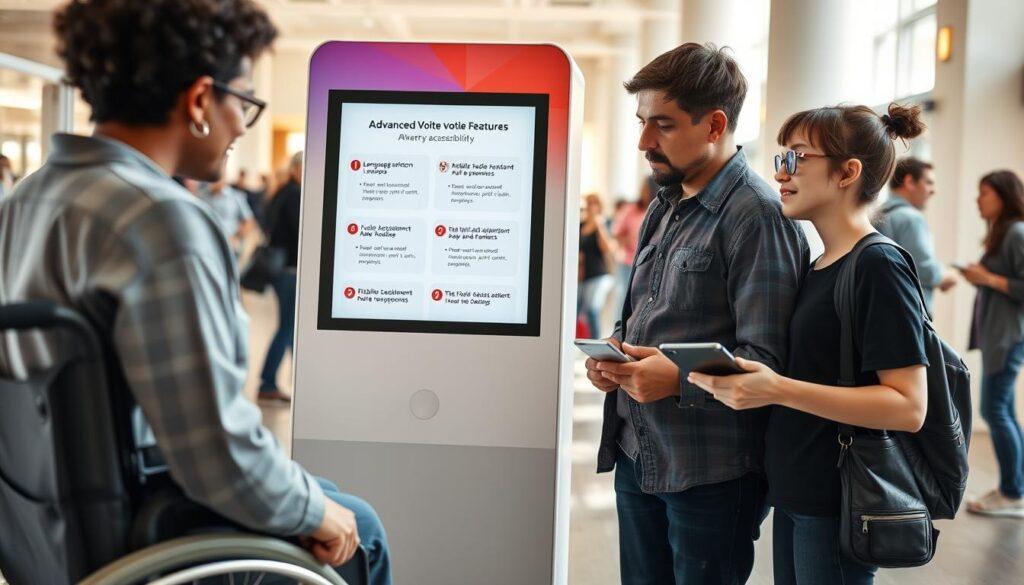
WCAG Standards: The Rulebook for Inclusion
Forget guesswork. The Web Content Accessibility Guidelines (WCAG) are your blueprint. This isn’t optional nice-to-have stuff; it’s the code for a truly public interface. It means ensuring screen readers can navigate every form field and button without getting lost.
It demands color contrasts that don’t alienate the colorblind. It’s the difference between someone voting independently and needing to whisper their private choices to a stranger for help. Following these standards isn’t just compliance; it’s respect.
Readable Forms: Ditch the Legalese
When was the last time you enjoyed reading a tax form? Exactly. Voting forms shouldn’t feel like a contract law exam. Readable forms use plain language. Short sentences. Active voice.
They explain “eligibility” in terms a high schooler can grasp, not a constitutional scholar. This removes a huge cognitive barrier. It turns a confusing chore into a clear, confident action.
Language Switchers: A Nation of Immigrants Demands It
A ‘language switcher’ isn’t a bonus feature. In a country built by immigrants, it’s a non-negotiable. Think of Mexico’s system for voters abroad or France’s consular elections.
They implicitly understand that civic participation doesn’t stop at the border—or at the edge of a language. It’s about pragmatism and inclusion. It says, “Your voice is welcome here,” in a tongue you actually understand.
Alt Text: The Invisible Description for Critical Images
Every instructional image, icon, or diagram needs a clear alt text description. Why? Because for a voter using a screen reader, that graphic is a silent, meaningless blank. Well-written alt text acts as a narrator, describing what’s visually presented.
“Button: Scan QR Code” or “Diagram: Step 3, confirm your details.” It’s a simple, technical fix with a profound human impact. It turns visual information into accessible information.
The EAC’s voting accessibility guidelines provide a solid foundation, but digital tools must go further. We must bake these principles into the core architecture. Because when we get this right, we don’t just meet a standard. We fulfill a promise. Democracy for everyone isn’t a slogan. It’s the only acceptable outcome.
Cyber Hygiene: Training the Human Firewall
Imagine a top-notch digital voting system, but a volunteer falls for a phishing email for free pizza. The IDEA report shows many failures come from people and systems, not just tech. We can write perfect code, but we must also train those who use it. This builds trust in our systems.
Cyber hygiene turns every volunteer into a strong defense. It’s about making people the first line of protection.
Volunteer Training That Doesn’t Put People to Sleep
Forget boring security talks. Good volunteer training is fun, useful, and seen as a duty. It’s not just about watching slides. Use real examples. Practice dealing with fake calls asking for login info.
Explain why rules are in place. When people see they protect democracy, they follow rules better. This is what the IDEA report talks about.
Training should keep going, not just once. Quick updates before shifts keep everyone on track. Make it fun with badges for finishing modules. A well-trained volunteer is your best asset, showing confidence to voters.
Phishing Avoidance: Spotting the Digital Wolf in Sheep’s Clothing
Phishing avoidance is more about understanding people than tech. Scammers use clever tricks like fake emails or texts. Teach signs like generic greetings and urgent messages.
Drill this rule: “The IT team will never ask for your password. Ever.” This is key.
Do fake phishing tests. Send harmless emails to see who falls for it. Those who do get help, not scolded. It’s like a drill for the human firewall.
Secure Updates: No “Remind Me Later” Allowed
That “update available” message is important. Secure updates are a must. Old software is a risk. Make sure all devices update automatically. If it can’t update, it can’t be used.
Be clear about this policy. Volunteers should know they must keep their devices up to date. This is like locking the digital door. A simple update policy can protect more than any firewall.
| Cyber Hygiene Practice | Effective Approach | Ineffective Approach | Impact on Security |
|---|---|---|---|
| Training Method | Interactive scenarios & role-playing | Long, passive lecture videos | High engagement leads to better retention and application of security rules. |
| Phishing Drills | Regular simulated attacks with instant feedback | Theoretical warnings only | Creates muscle memory for identifying real threats, reducing click-happy mistakes. |
| Update Policy | Automated, mandatory updates; no user override | Voluntary updates with frequent deferrals | Eliminates known software vulnerabilities, maintaining a hardened device environment. |
| Incident Reporting | Simple, blame-free reporting channel | Complex process that discourages reporting | Encourages volunteers to report suspicious activity early, enabling faster response. |
Cyber hygiene is about culture. It’s about everyone seeing security as a shared duty. When everyone is vigilant, the system is strong. The tech gives tools, but people build trust. In democracy, trust is the most valuable thing.
Metrics: What Gets Measured Gets Managed
Metrics turn civic engagement into something you can measure and improve. It’s like launching a new product without checking the numbers. In civic tech, data is your guide, your reality check, and your critic.
The world has seen big changes. The UAE’s digital tools raised voter turnout from 27% to nearly 44%. Canada’s online voting boosted turnout by 3.5 to 7 percentage points. These numbers show what works.
Nigeria’s INEC made results viewing public with its IReV portal. This is the new standard.
So, what should you track? The funnel analysis is key. It helps understand the journey from curious bystander to voter.
Funnel Analysis: Scans, Starts, Completions, & Abandonment Reasons
The voting funnel tells a story of successes and drop-offs. You must measure each part.
Scans: How many scanned the QR code? This shows if your ads or instructions worked.
Starts: Of those who scanned, how many started filling out the form? This shows if the landing page is easy to use.
Completions: The holy grail. This is your conversion rate. It shows how many scanners voted.
But the real treasure is understanding abandonment reasons. Where did people drop off?
- Was it at the address verification field because it was too complex?
- Did the ID upload step confuse or frustrate them?
- Was there a technical glitch on a specific mobile device?
Each abandoned session is feedback. It’s like a silent message saying, “This part is broken.” By analyzing these reasons, you can fix the issues.
This creates a powerful feedback loop. Low completion rates at the ID stage? Maybe you need better instructions. High abandonment after scanning? Maybe the QR code didn’t lead to a mobile-friendly page. This is how you improve.
In the end, good metrics do more than show efficiency. They build trust. When you can show how the system is doing and how you’re improving it, you’re not just managing a project. You’re taking care of democracy’s digital front door, one data point at a time.
Integration: Playing Nice with the Government Machinery
Imagine your QR code voter registration kiosk as a modern train station. It’s useless if it doesn’t connect to the national rail network of government databases. A cool app is just a digital dead-end if it can’t link to official systems. Integration makes a tech demo a real civic tool.
This isn’t about fancy features. It’s about building bridges. Your tool must link smoothly to the government online registration portal and other systems. If a citizen has to leave your app to check something on a .gov site, you’ve lost them. Trust is lost.
The Bridge to Official Portals
So, what does this bridge look like? It’s built with live APIs and secure data handshakes. Your kiosk should directly connect to the county or state’s voter systems. This isn’t science fiction.
Look at Nigeria’s INEC. They built a system of integrated portals for various tasks. All these systems feed into a central Election Monitoring dashboard. Your registration tool should be a seamless entry point into this wider electoral universe.
Think of it as an API for democracy. Without these links, you’re just collecting data into a void. With them, you’re connecting citizens to their civic duty.
Real-Time Status: No More Guessing Games
A major pain point for voters is uncertainty. “Am I registered?” “Did my form go through?” An integrated system kills that anxiety.
By linking directly to the official database, your kiosk can perform real-time status lookups. A user scans their ID, and the screen instantly confirms their registration status, precinct location, and ballot type. This immediate feedback loop is powerful. It builds confidence in the entire process, both digital and governmental.
It turns a question mark into a period. That’s a small miracle in the world of civic paperwork.
Syncing with the Civic Calendar
Elections run on deadlines. Registration periods, early voting dates, Election Day itself. These dates are set in stone by government bodies, not your app.
True integration means pulling event calendar data directly from the source. Your kiosk and its communications should dynamically reflect the official timeline. This prevents the disaster of your tool reminding someone to register a day after the deadline has passed.
It ensures every piece of information you provide is authoritative and correct. In a landscape rife with misinformation, that authority is your most valuable currency.
Ultimately, playing nice with the government machinery isn’t about stifling innovation. It’s about lending your innovation the full weight of official legitimacy. You handle the sleek, user-friendly front end. Let the official online registration portal handle the secure, certified back end. Together, they create something neither could alone: a frictionless path to participation.
Communications and Contingency: The Plan for When Things Go Sideways
After making the funnel better and linking to the official eligibility checks, we focus on people. This part is about sending texts and helping with tears. A good voter registration system doesn’t end when the form is filled out. It ends when the citizen actually votes.
The Art of the Nudge: SMS & Email Reminders
Follow-up messages are very effective. But, they must be written carefully. They should only share civic information, not campaign stuff. Make sure to respect the voter’s language choice.
Use their name and the exact polling location. Timing is key. Send a friendly first message, then a specific location reminder, and a last urgent one as deadlines approach. This is not spam; it’s a helpful service. Studies show that personalized, timely messages can really help people follow through.
The Risk Register: Paper, Privacy, and Practice
Always hope for the best but plan for the worst. What’s your plan if the digital system fails? You need a solid paper backup plan ready. What’s your plan if personal data gets leaked? Look at France’s 2022 election.
They had issues with their online voting system. The Constitutional Council ordered a partial redo. Their response? They likely made their risk register stronger. They didn’t give up on technology; they made their backup plans better. In democracy, you don’t rush and break things. You move carefully. And you keep a good backup plan ready for anything.